WordPress Plugin
Your search data, inside WordPress
The Query Hunter plugin brings the queries every post ranks for — impressions, clicks, positions and mentions — into wp-admin, with AI to help you act on them.
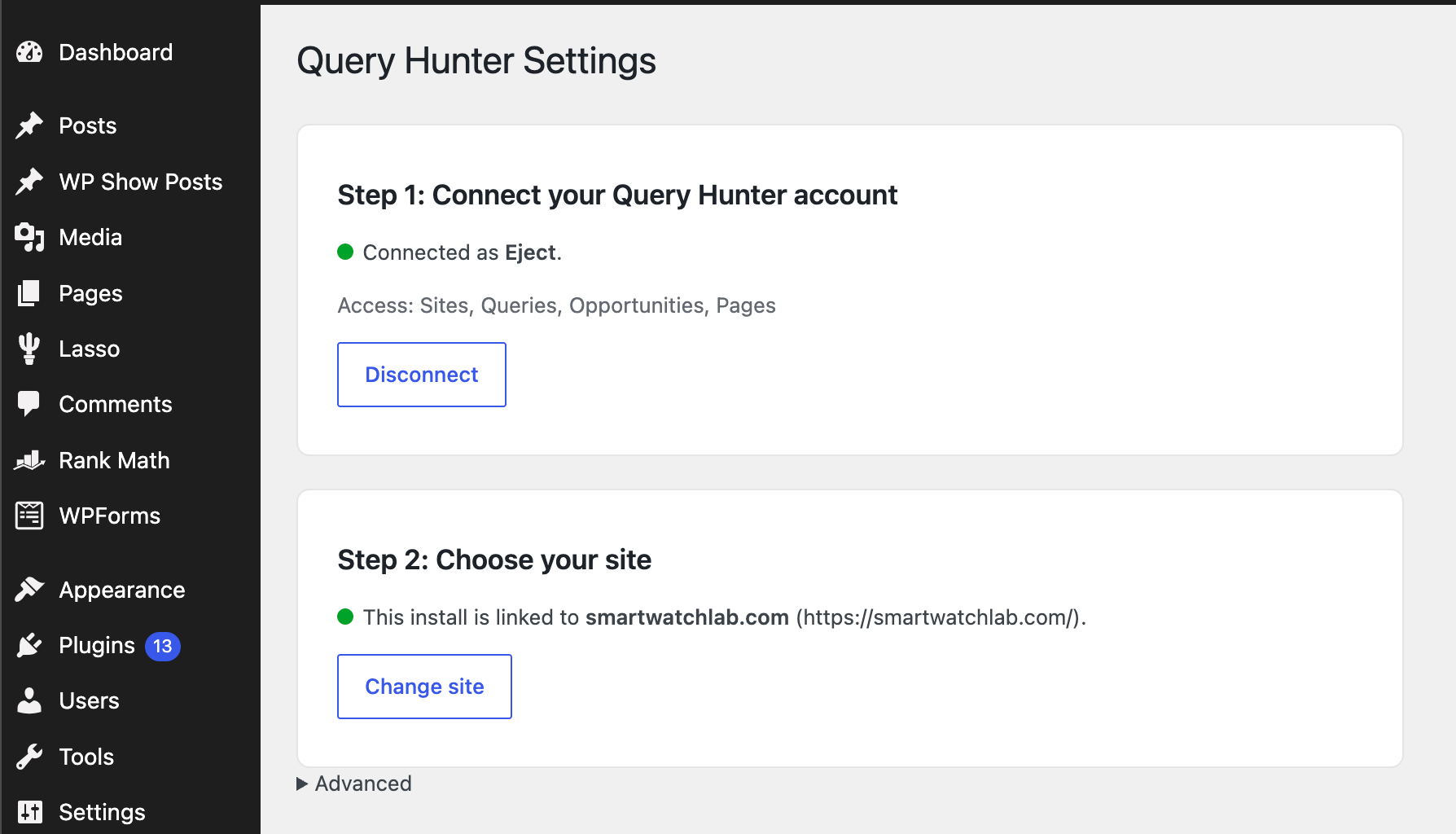
Connect your site in one click
Install the plugin, click Connect to Query Hunter and approve access on the consent screen — that's the whole setup. The plugin matches your WordPress install to the right site in your account automatically, and updates arrive through WordPress's native update system.
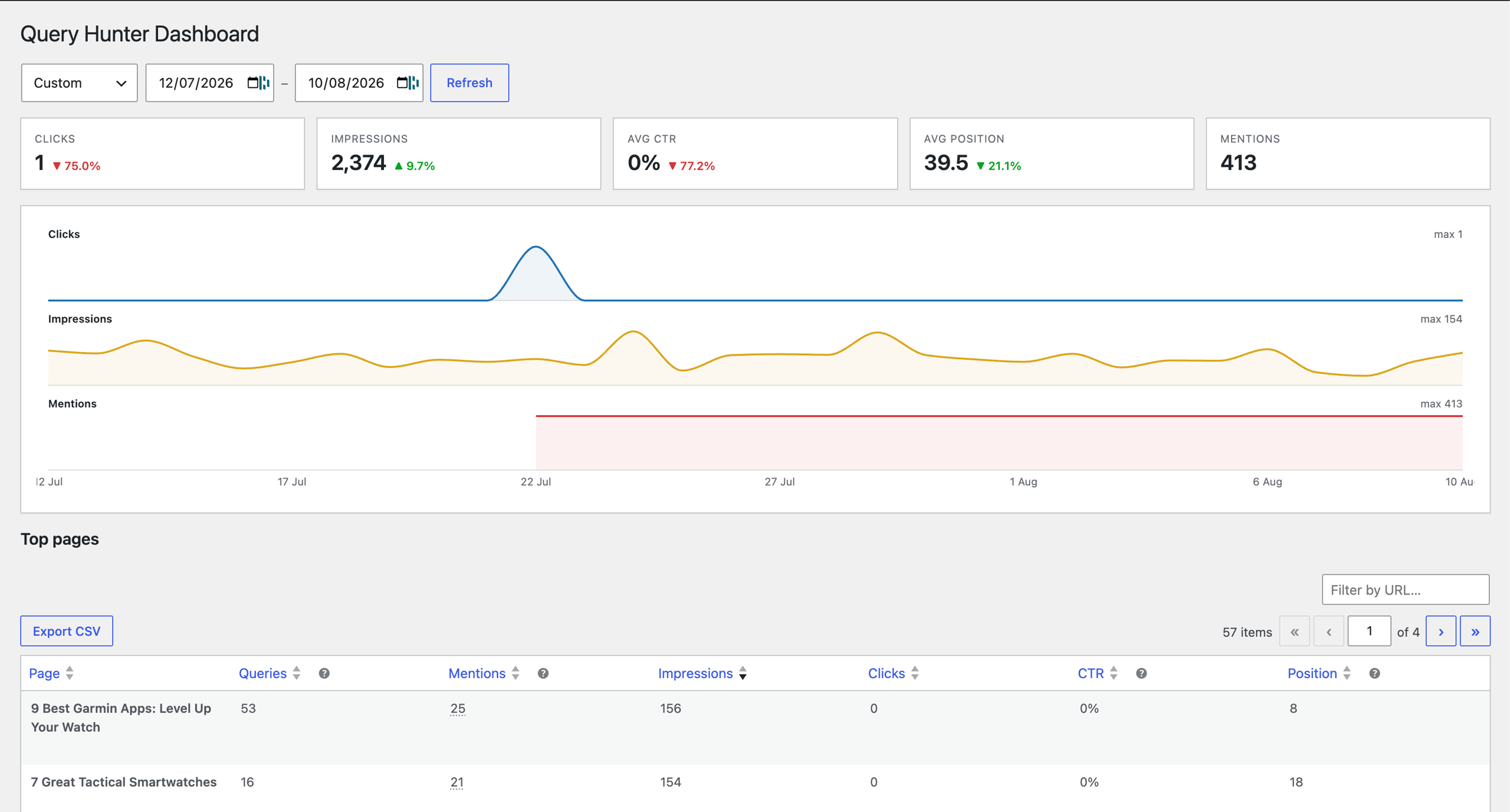
A full search dashboard in wp-admin
Clicks, impressions, CTR, position and mentions at a glance, each compared against the previous period — plus a top pages table, a site-wide queries view and an opportunities view that groups promising queries page by page.
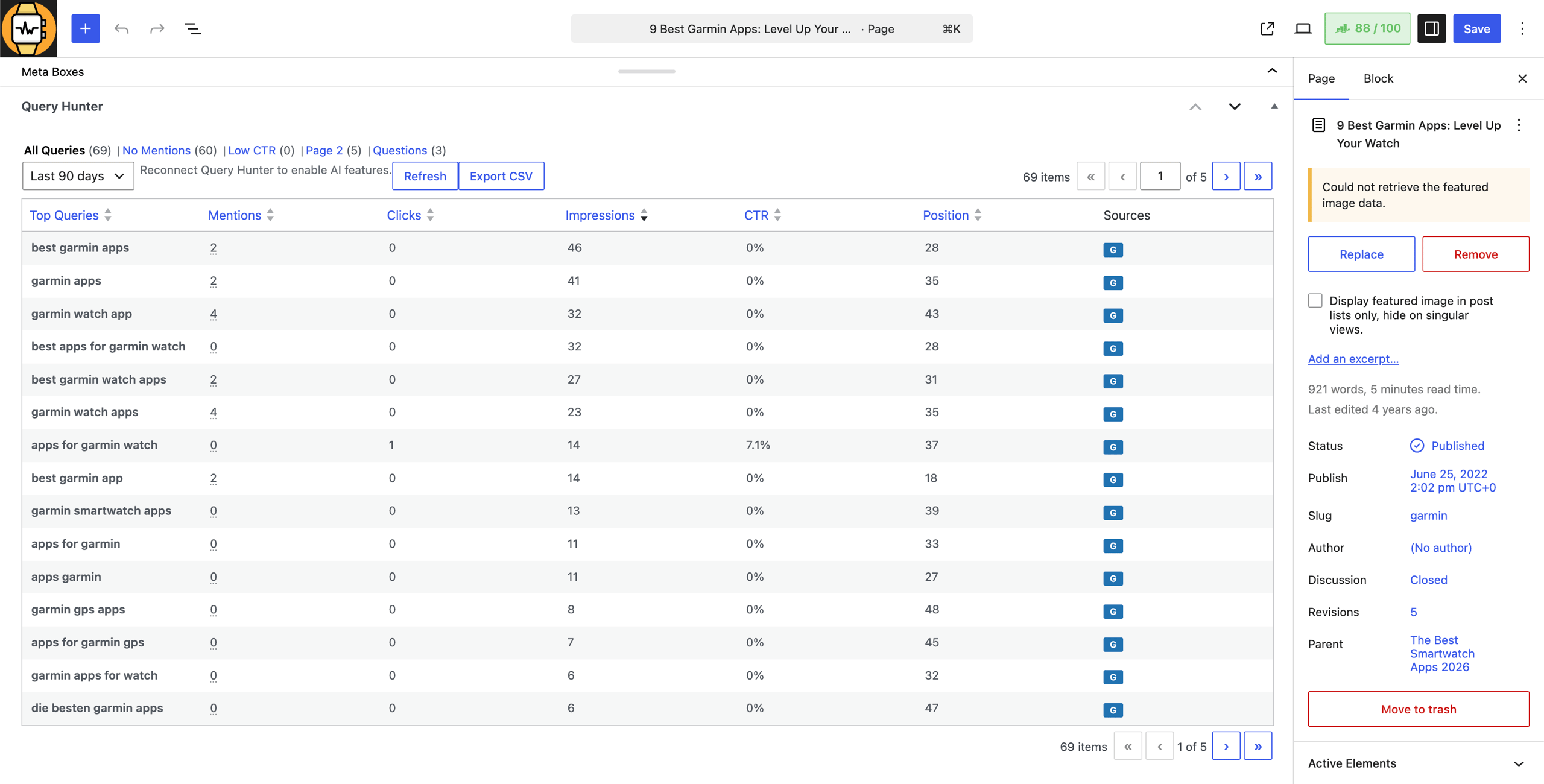
Optimise while you write
Every post gets a Query Hunter panel in the editor showing the queries it ranks for — with quick tabs for No Mentions, Low CTR, Page 2 and Questions. See which phrases to work in and which near-miss rankings to push onto page one, without leaving WordPress.
Content Genie: AI that knows your queries
AI
Pick a query and Content Genie drafts a sentence, paragraph or snippet that works it into your post naturally — aware of the post's title, description and URL. Suggest placements goes further, pointing at the exact spots in your existing copy where a query belongs.
Genie runs on your Spindrift plan's included AI — no OpenAI key to bring, no separate bill — and writes in the language you choose in settings.
WordPress plugin FAQs
How do I install it?
Download the plugin zip, then in wp-admin go to Plugins → Add New → Upload Plugin and upload it. From then on, updates appear in wp-admin like any other plugin — delivered directly from Query Hunter, no marketplace account needed.
What does it require?
WordPress 6.4 or newer and PHP 8.1 or newer, plus a Spindrift account with your site connected to Google Search Console. It's tested up to WordPress 6.8.
How does the connection work?
The plugin connects over OAuth: you approve access on a consent screen showing exactly which read scopes it gets, and you can disconnect from the plugin's settings at any time. Prefer keys? An org API key from the app works too, under Advanced settings.
Do I need an OpenAI key for the AI features?
No. Content Genie runs on the metered AI included with your Spindrift plan, so there's nothing to configure and no separate AI bill.
Start finding your easy ranking wins
Connect Google Search Console or Bing Webmaster Tools and Spindrift surfaces the queries you already rank for — and the filters that show where a small change wins more clicks. Every plan starts with a 7-day free trial.